
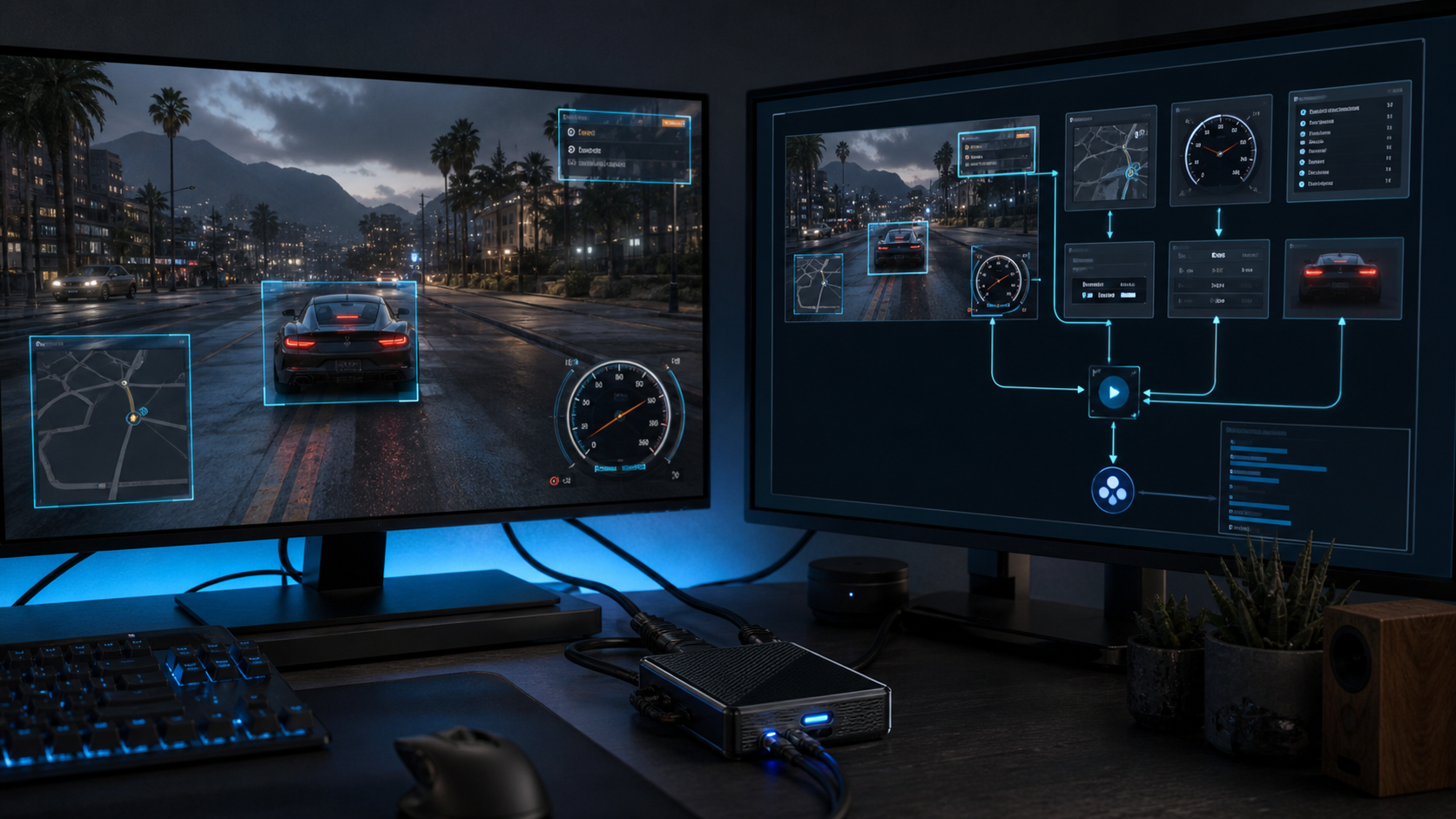
The signal can come from anywhere
The prototype treats a desktop capture, camera, video feed, or capture card as the beginning of the same pipeline. Frames are sampled, OCR extracts visible language, visual regions add context, and the system decides which observations are useful enough to send to an assistant while the original task continues.
Remove the description gap
People often lose time translating what is already visible into a written prompt. A visual pipeline can extract that context directly from a screen or capture card.
Help at the right moment
The assistant could explain an error, summarize a live dashboard, identify relevant text, or help work through a GTA mission without requiring the user to stop the experience.
Privacy and restraint matter
Continuous capture must be selective, visible, controllable, and local where appropriate. The system should know when not to observe and when not to interrupt.
A useful response needs a gate
Real-time does not mean responding to every frame. The assistant needs change detection, confidence thresholds, context windows, and a reason to interrupt. That gate is what separates a helpful explanation during an error or difficult game mission from a stream of obvious observations that makes the experience worse.
Turning a video signal into useful context
The pipeline begins by deciding what not to process. Sampling every frame wastes compute and repeats nearly identical information, so the prototype looks for meaningful visual change, chooses regions of interest, and retains a short context window. OCR contributes visible language while image analysis contributes layout, objects, and state.
That shared pipeline can support very different situations. A capture card could expose a console game without modifying the console, a desktop feed could show an application error while it happens, and a camera could provide context from equipment that has no software integration. The source changes, but the central question remains the same: what changed on screen that is useful right now?
Privacy and timing are part of the design, not optional features added later. Capture should be obvious, pausable, limited to selected sources, and local whenever the task allows it. The assistant should summarize only when confidence and relevance are high enough to justify an interruption. A personal assistant becomes useful when it understands the moment, but trustworthy only when the user remains in control of observation.